Beyond the Firewall: A Practical Physical Security Review for UK SMEs
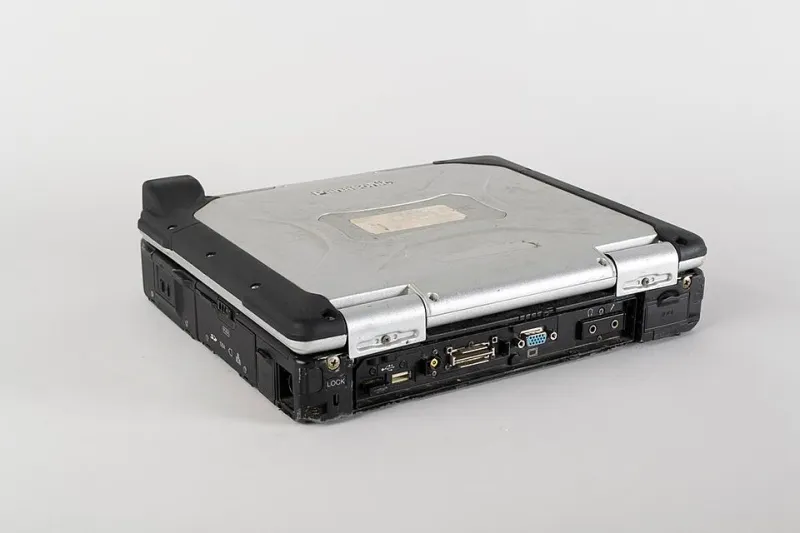
Photo: Museum of Transport and Technology, CC BY 4.0, via Wikimedia Commons
Physical security is the part of IT that everyone can see and no one owns. A small firm may have a firewall, antivirus and a password policy, yet leave a comms cupboard unlocked, hand a visitor the main Wi-Fi password, or send a returned laptop to a recycler without wiping it. These are not exotic failures. They are ordinary ones, and in 2026 they remain some of the cheapest risks to reduce.
The quiet perimeter
Most security guidance focuses on phishing, patching and cloud permissions. All of that matters. But data also lives in rooms, bags, desks and cupboards. A stolen laptop can be a data breach. An open server cupboard can be a break-in. A guest Wi-Fi password written on a meeting-room wall can be the first step in a network intrusion. Physical gaps rarely look dramatic at the time. They become expensive when they meet an insurer, a regulator or a customer complaint.
A scenario worth avoiding
Picture a small professional services firm in a UK city. A member of staff is working from a café between meetings. They leave a laptop on a table while ordering coffee. The device is encrypted, but the screen is unlocked and the email client is open. In two minutes, a passer-by can photograph client details, send messages from the account or install a remote-access tool. The laptop itself may not even be taken.
Now consider the insurance and data-protection angle. If personal data is exposed, the firm may need to assess whether to report a breach to the Information Commissioner's Office within seventy-two hours. The insurer may ask what physical controls were in place. The client may ask why a device was left unattended. The cost is not the hardware. It is the time, disruption and reputational damage that follow.
Five physical gaps to check
1. Laptop locks and hybrid kit
A cable lock is a low-cost deterrent, but only if it is used. Issue locks with laptops, show staff how to attach them to a fixed point, and include the rule in the hybrid-working policy. For devices used in public, add privacy screens and a simple expectation: no unattended kit in cafés, trains or co-working spaces. Keep a register of home and mobile kit so that a loss can be identified quickly.
2. Visitor Wi-Fi
Guest access should be separate from the business network. Use a rotating password or a sponsored guest system, and do not print the password on a wall. Visitors should not be able to reach file servers, printers or management interfaces. If the guest network is the same as the staff network, a visitor's infected device can become your problem.
3. The server cupboard or comms room
Even a small office has a cupboard with a router, switch, NAS box or phone system. It should be locked, with a short access list and a key or fob log. Cleaning staff, contractors and former employees should not have unsupervised access. Check for propped doors and storage boxes piled against equipment. Heat, dust and accidental unplugging cause outages as surely as theft does.
4. Device disposal and returns
When a laptop, phone or printer leaves the business, data must leave with it - or rather, must not. Use a documented wipe or destruction process and keep a certificate or log. Do not sell, donate or recycle devices without confirming that storage has been erased. Returned leaver kit should be treated as untrusted until it has been checked, wiped and added back to the asset register.
5. Keys, passes and desks
A clean-desk policy is not about tidiness. It is about not leaving client files, notebooks or removable media in view. Lockable cabinets, a sign-out sheet for keys and a leaver checklist for passes are simple controls. If a pass is lost, deactivate it the same day. If a key is not returned, change the lock or accept the risk in writing.
A low-cost checklist
- Fit cable locks to laptops used outside the office.
- Put guest Wi-Fi on a separate network with a rotating password.
- Lock the comms cupboard and keep a current access list.
- Record serial numbers for all mobile devices.
- Wipe and log every device before disposal or reuse.
- Add physical-security checks to onboarding and offboarding.
- Walk the office once a quarter and note anything unlocked, unattended or unlabelled.
None of these steps requires a large budget. Most require a decision and a habit.
Where physical gaps become business problems
Under UK GDPR, a lost or stolen device can be a personal data breach. The firm must be able to assess the risk and, where required, notify the ICO within seventy-two hours. Insurers increasingly ask about reasonable security controls, and a policy may be affected if basic physical precautions were ignored. Business continuity also suffers: a stolen laptop can mean lost files, missed deadlines and a scramble to restore access.
Make the walk-round normal
Physical security improves when it becomes routine. Add a fifteen-minute quarterly walk-round to the office manager's calendar. Check doors, cupboards, desks, guest passwords and returned kit. Record actions and close them. Then repeat the message at induction: locks are not optional, guest access is not staff access, and a device left alone is a device at risk. The smallest habits often prevent the most expensive incidents.